BRIDGEDUINO: A WIRELESS ARDUINO HUB AND SHIELD
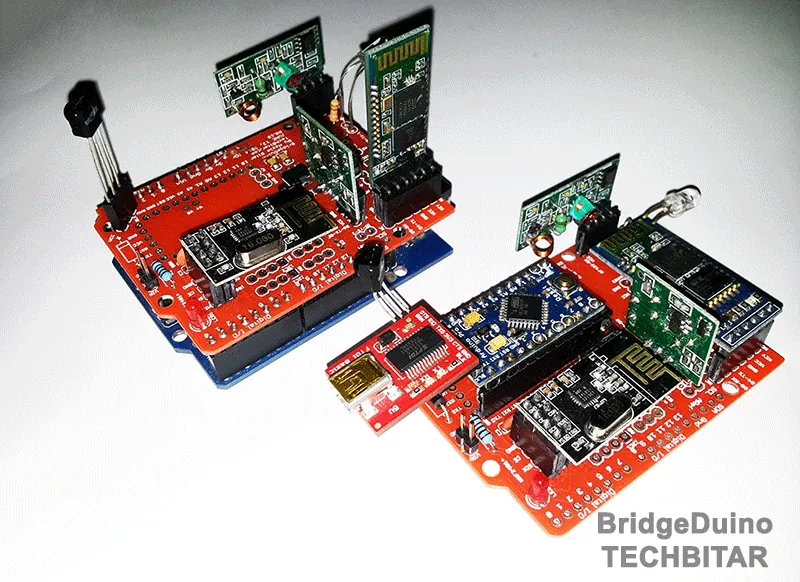
The BridgeDuino on the left is a shield for the Arduino Uno. The one on the right is based
on the Arduino ProMini development board.
Created: Sep
13, 2013
INTRODUCTION
Bridgeduino is a wireless Arduino hub and shield prototype I am currently developing.
BridgeDuino (R 0.11) is a Swiss army knife PCB for rapid networking of inexpensive wireless
communication modules. Breadboards are super for one-off experiments. But after prototyping
half a dozen wireless prototypes involving more than just two Arduinos, the wiring mistakes
and associated debugging grew more time consuming.
BridgeDuino facilitates rapid multi-node prototyping & testing of networks based on popular, cheap wireless modules and the Arduino platform. I did not wish to make a separate PCB for each of the various wireless components, so I figured why not one PCB to rule them all.
I also wanted a PCB that can act as a shield to Arduino Uno as well as work with the inexpensive and low-power Arduino ProMini.
As of this release, BridgeDuino supports the following wireless technologies/modules:
BRIDGEDUINO IS OPEN HARDWARE AND OPEN SOURCE.
BridgeDuino facilitates rapid multi-node prototyping & testing of networks based on popular, cheap wireless modules and the Arduino platform. I did not wish to make a separate PCB for each of the various wireless components, so I figured why not one PCB to rule them all.
I also wanted a PCB that can act as a shield to Arduino Uno as well as work with the inexpensive and low-power Arduino ProMini.
As of this release, BridgeDuino supports the following wireless technologies/modules:
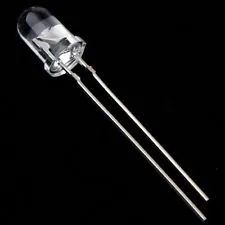
- IR Transmitter LED 940nm
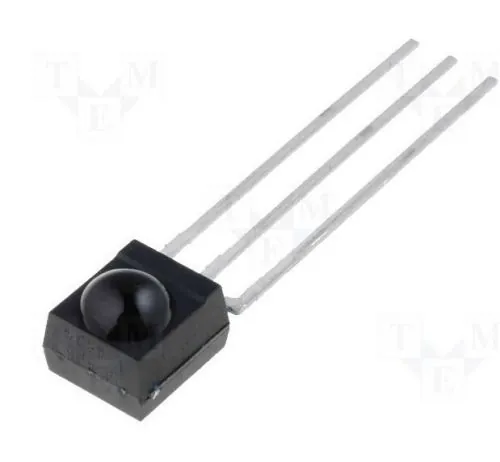
- IR Receive 38Khz
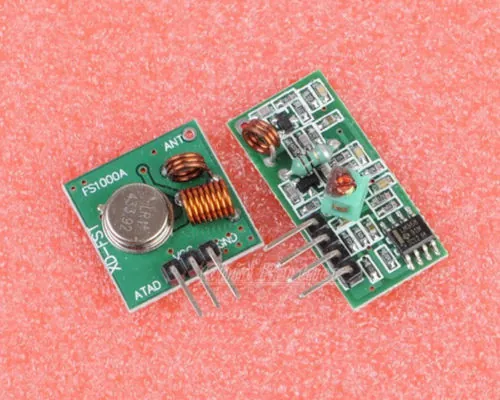
- RF433Mhz Receiver
- RF433Mhz FS1000A Transmitter
- Bluetooth HC-06 & HC-05
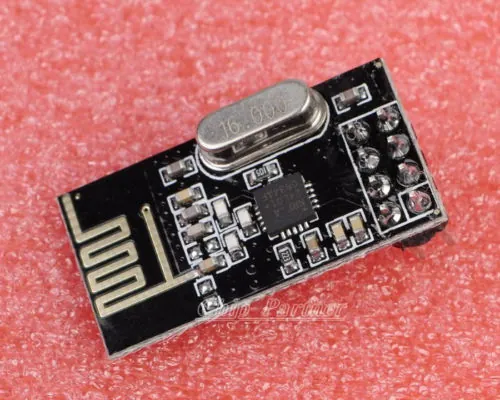
- Nrf24L01+
BRIDGEDUINO IS OPEN HARDWARE AND OPEN SOURCE.
Bridging
A consequence of this combo controller is the ability to bridge between wireless protocols within limits imposed by interrupt conflicts, power consumption, interference, etc. Some of these limitations might be overcome by modifying the libraries, others may require a change in the PCB layout. But the possibilities are endless.Testing
This is the 1st iteration of the PCB. I have done limited testing using two BridgeDuinos. The first was a shield paired with an Arduino Uno while the second with an Arduino Pro Mini 328/5V. Each wireless component worked with no visible issues. But as far as bridging from one wireless technology/module to another different one, I have done very little in this regard and the results were mixed for reasons I have outlined before. I also have not yet tested the BridgeDuino in low power configuration. In upcoming weeks, I will try some of the advanced configurations possible with the BridgeDuino.FEATURES
Supported Wireless Technologies
- IR
Transmitter LED 940nm
- IR
Receive 38Khz
- RF433Mhz
Receiver
- RF433Mhz
FS1000A Transmitter
- Bluetooth
HC-06 & HC-05
- Nrf24L01+
Supported Platforms
- Arduino
Uno.
- Arduino
Pro Mini + FTDI programmer.
Misc. Features
- LM1117-3.3 3.3V Power Supply (0.8 Amp) to power the Nrf24L01+
- Battery powered with protection Schottky diode.
- Jumper for selectable 5V or 3.3V power to power Bluetooth.
- Jumper to enable HC-05 programming.
- Jumper to enable Nrf24L01+ low energy.
- Multiple 4-pin I2C headers.
- Multiple
3-pin ADC headers.
PCB Schematics & Board Layout
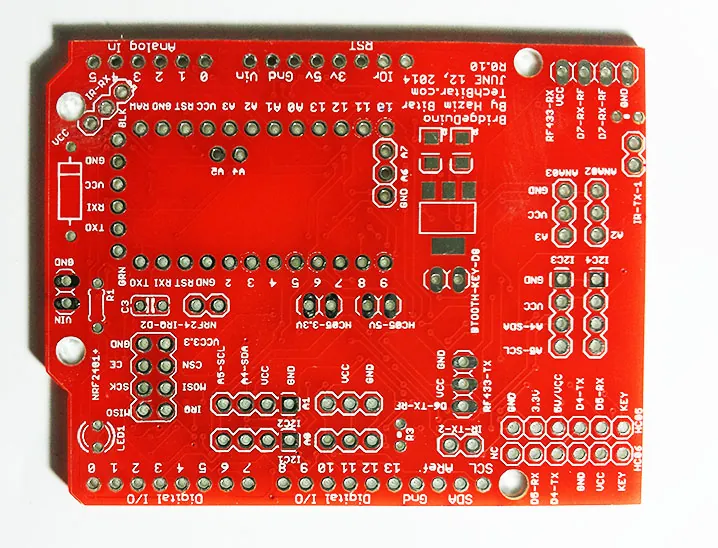
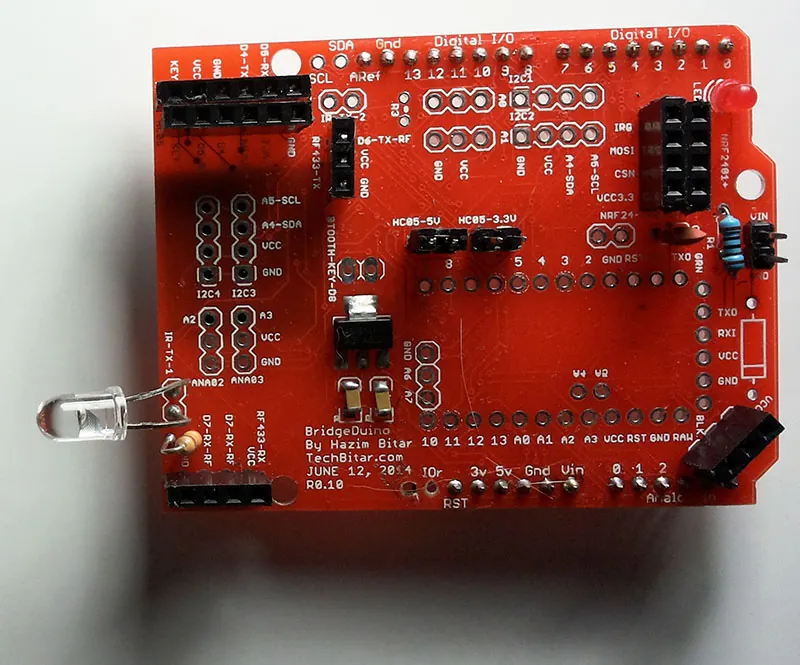
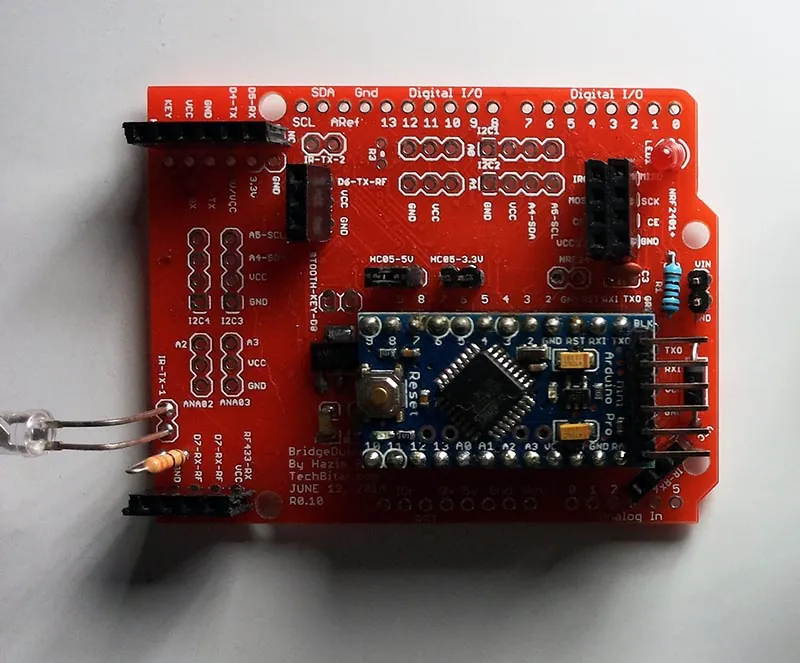
UPDATE AUGUST 17, 2014: The schematics in the photos are for the R0.10 PCB.
I have made some updates to the layouts. The latest release as of August 17, 2014 will have
a different layout to fix a problem with the location of the Bluetooth headers and nearby
I2C and analog headers. They were too close to the Arduino USB connector requiring
insulation tape to protect from potential shorts. This is no longer the case in the attached
Eagle PCB design files for BridgeDuino R0.11. You can view the Eagle files in PDF and you
can download the ZIP file containing the Eagle layout and schematic files for editing.
ARDUINO LIBRARIES
BridgeDuino utilizes popular open source Arduino libraries. In most cases, all you have to
do is set the right pin value in the example code provided by the library and you are good
to go. I have listed the hardwired pin values for each wireless module to help you update
the example codes.
You can use the examples in these libraries as is but you have to match the wireless modules' pins with their equivalent library variables.
RF433Mhz VirtualWire Library by Mike McCauley
http://www.pjrc.com/teensy/td_libs_VirtualWire.html
Nrf24L01+ Library by Maniacbug
https://github.com/maniacbug/RF24
IR Remote Library by Ken Shirriff
https://github.com/shirriff/Arduino-IRremote
SoftSerial Library by Arduino (Tom Igoe)
This library is bundled with the Arduino IDE. It's used with BridgeDuino in conjunction with the Bluetooth serial module to free Arduino pins 0 and 1.
You can use the examples in these libraries as is but you have to match the wireless modules' pins with their equivalent library variables.
RF433Mhz VirtualWire Library by Mike McCauley
http://www.pjrc.com/teensy/td_libs_VirtualWire.html
- Transmitter
DATA pin -- > Arduino D6
- Receiver
DATA pin --> Arduino D7
Nrf24L01+ Library by Maniacbug
https://github.com/maniacbug/RF24
- IRQ
--> Arduino D2
- CE
--> Arduino D9
- CSN
--> Arduino D10
- MOSI
--> Arduino D11
- MISO
--> Arduino D12
- SCK
--> Arduino D13
IR Remote Library by Ken Shirriff
https://github.com/shirriff/Arduino-IRremote
- IR
Receiver Pin3 --> Arduino D8
- IR
Transmitter LED Anode (+) --> Arduino D3
SoftSerial Library by Arduino (Tom Igoe)
This library is bundled with the Arduino IDE. It's used with BridgeDuino in conjunction with the Bluetooth serial module to free Arduino pins 0 and 1.
- Btooth
RX --> Arduino D5
- Btooth
TX --> Arduino D4
COMPONENTS
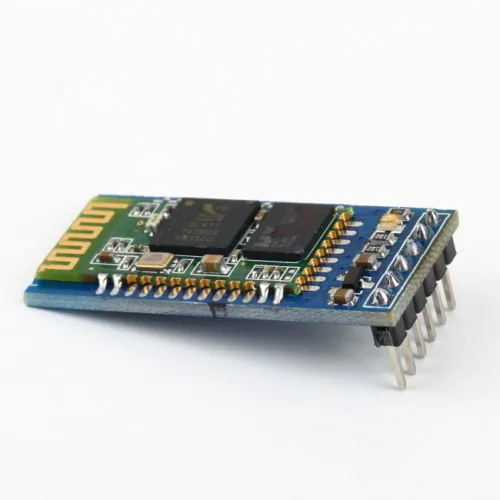
The central components are obviously the inexpensive wireless modules and
parts.
Wireless Components
I buy most of my components from eBay but you can find these parts from most electronics stores. I have posted links below to eBay sellers with good ratings but feel free to buy from other eBay sellers you trust.
Microcontrollers
Support Components
Not all these parts are needed but depending on what you want out of the BridgeDuino you can mix and match:
Wireless Components
I buy most of my components from eBay but you can find these parts from most electronics stores. I have posted links below to eBay sellers with good ratings but feel free to buy from other eBay sellers you trust.
- Bluetooth
Serial module HC-05 - $6 (eBay)
- 433Mhz RF
transmitter and receiver - $1.60 (eBay)
- IR LED
transmitter 940nm 5mm - $1 (ebay)
- IR Receiver
38Khz - $1 (ebay)
- NRF24L01+
2.4GHz Wireless Transceiver - $1 (ebay)
Microcontrollers
- Arduino
Uno R3 (arduino.cc)
- Arduino
ProMini 328/5V (arduino.cc)
- FTDI
USB-Serial programmer for the ProMini
Support Components
Not all these parts are needed but depending on what you want out of the BridgeDuino you can mix and match:
- Red
LED 5MM (power LED)
- Resistor
300 Ohm (current limiting for power LED)
- 2
X Resistor 100 Ohm (IR LED current limiting)
- LM1117-3.3V
regulator (optional if using Arduino Uno which supplies 3.3V)
- 2
X 10uF 16V SMD Capacitor - Package 3216/1206 (for 3.3V regulator)
- 0.1uF
ceramic capacitor (optional)
- Schottky
Diode 1N4001
HEADERS
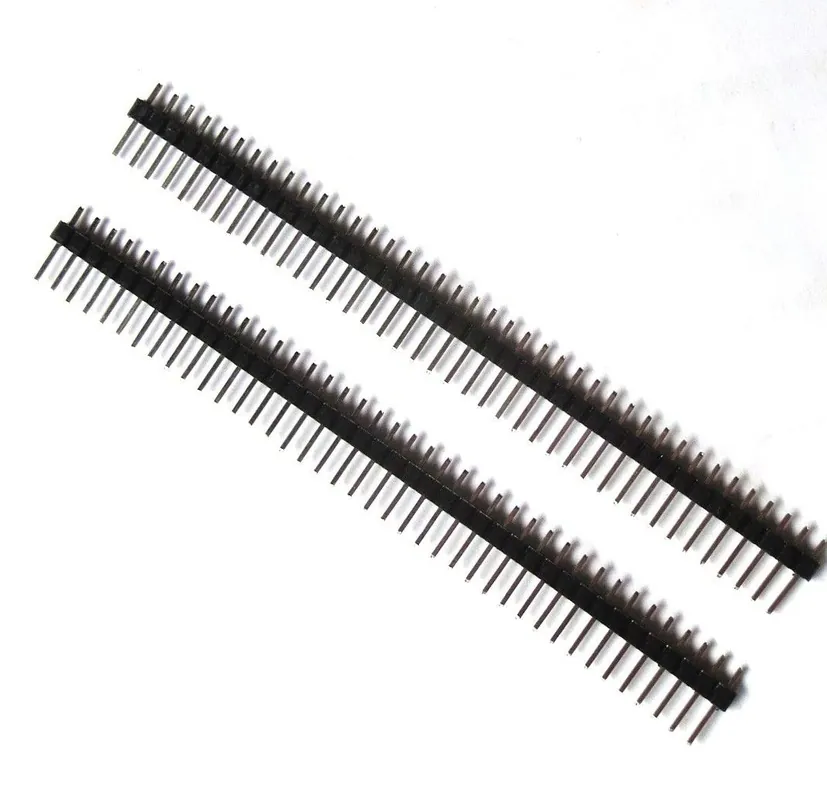

Female Headers
You will need female 2.54mm (0.1 in) headers if you don't intend to solder your Arduino ProMini or wireless components onto the BridgeDuino PCB. You can break these 40 pin headers into smaller headers then solder them into the PCB and plug your components into them.
- 40Pin 2.54mm Single Row Straight Female Pin Header Strip - $1.60 (eBay)
Male Headers
You will need male headers to turn the BridgeDuino into an Arduino Uno shield as well as for the 2-pin jumpers. These headers can be easily broken to the desired size.
- 40Pin 2.54mm Single Row Straight Male Pin Header Strip - $1 (eBay)
You will need female 2.54mm (0.1 in) headers if you don't intend to solder your Arduino ProMini or wireless components onto the BridgeDuino PCB. You can break these 40 pin headers into smaller headers then solder them into the PCB and plug your components into them.
- 40Pin 2.54mm Single Row Straight Female Pin Header Strip - $1.60 (eBay)
Male Headers
You will need male headers to turn the BridgeDuino into an Arduino Uno shield as well as for the 2-pin jumpers. These headers can be easily broken to the desired size.
- 40Pin 2.54mm Single Row Straight Male Pin Header Strip - $1 (eBay)